Viewport & display
Units
Base units, display units and typing values with units.
Carapace and OpenSees are unitless. PySees stores the model in one consistent system of length, force and time, and converts only what you see and type.
Base units
Chosen when the model is created (in the New model dialog) and fixed afterwards.
- Length: mm, cm, m, in, ft
- Force: N, kN, MN, lbf, kip
- Time: s
Presets: kip-in-s, kip-ft-s, lbf-in-s, lbf-ft-s, kN-m-s, kN-mm-s, N-m-s, N-mm-s. Choose None (plain numbers) for a unitless model. A unitless model shows no unit labels and converts nothing.
Display units
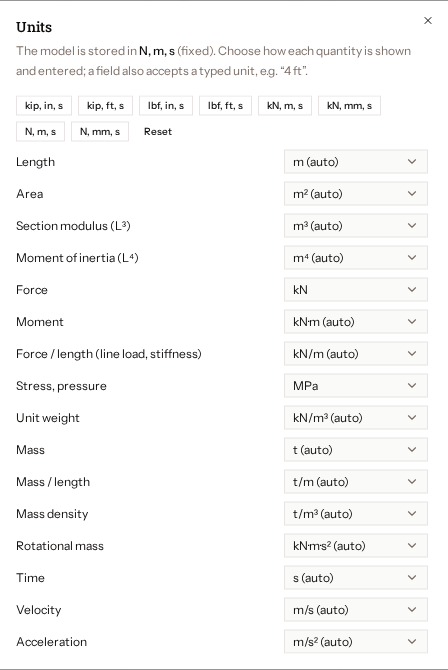
Open Edit > Units to choose how each quantity is shown. There are categories for length, area, section modulus, inertia, force, moment, force per length, stress, unit weight, mass, density, time, velocity, acceleration and more.
- A category you have not set follows the displayed length, force and time. For example kip and in give ksi for stress.
- Press Reset to return to automatic.
- Display units are saved with the project, but stored model values never change.
Typing values
Fields accept a bare number, which is read in the display unit, or a number with a unit: 12, 12 ft, 4.5 kip·in.