Building a model
Fibers and patches
Define section fibers, rectangular patches and circular patches by hand.
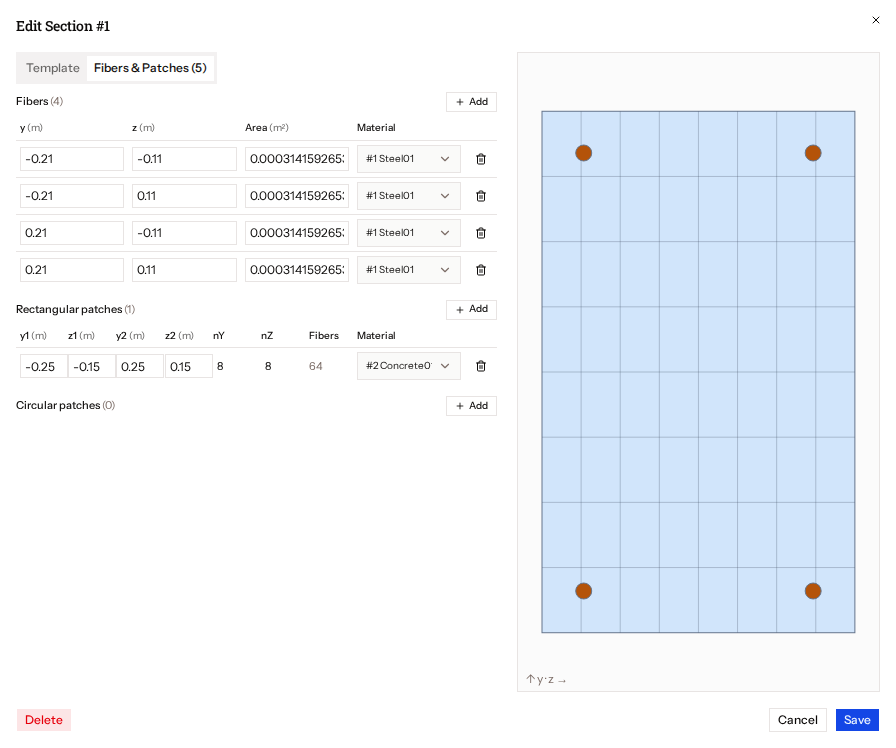
The Fibers & Patches tab has three tables, each with its own add button. Columns accept units, and each row has a material picker (with New Material…) and a remove button.
| Table | Columns |
|---|---|
| Fibers | y, z, area, material |
| Rectangular patches | y1, z1, y2, z2, nY, nZ (the resulting fiber count is shown) |
| Circular patches | centre y and z, inner and outer radius, nCirc, nRad |
Other children, such as layers, appear under Other with a remove button.