Building a model
AISC shapes
Fill a steel template from the AISC shapes database.
When a steel template is selected, the AISC picker appears. It is a searchable list of the AISC v16 database covering W, M, S, HP, C, MC, L, HSS and Pipe shapes.
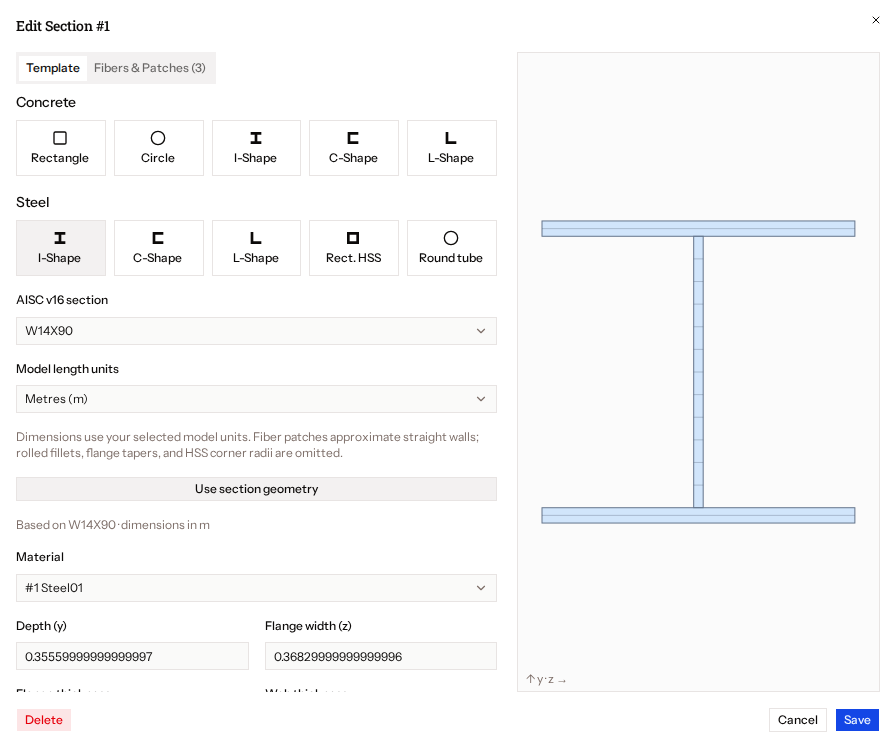
- Search for and pick a shape, such as
W14X90. - Set Model length units (m, mm, in or ft) to match your model.
- Press Use section geometry to fill the template's parameters.
If the database fails to load, a Retry button appears.