Getting started
What is PySees
A browser-based GUI for building, running and reviewing structural models.
PySees is a web app for building structural models, analysing them and reviewing the results, all in your browser. There is nothing to install and no account is needed.
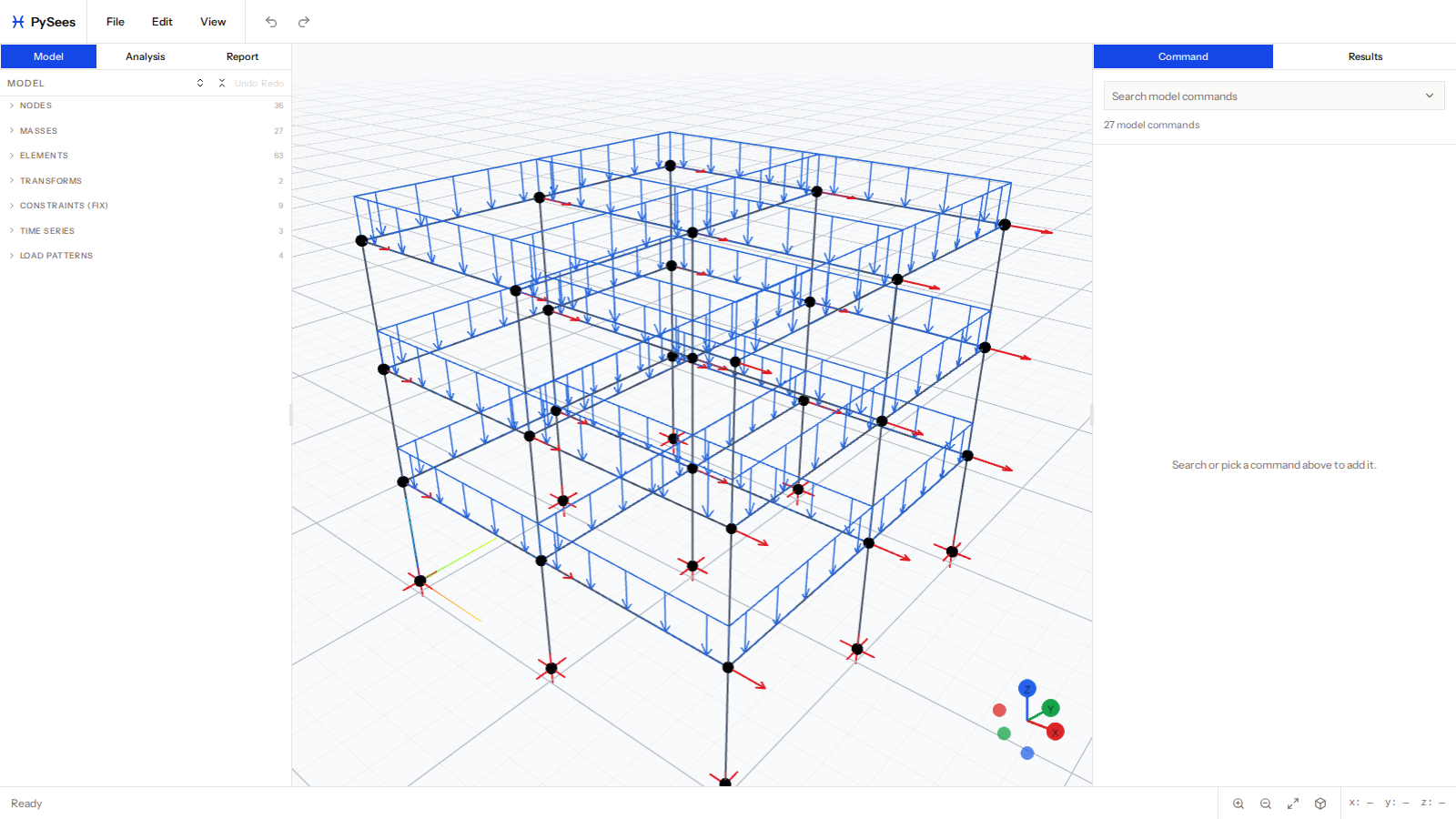
How it works
You build a parametric model: nodes, materials, sections, elements, supports and loads. You then author an analysis (static, pushover, earthquake or eigen). Everything else is derived from those two things:
- The 3D viewport draws the model and, after a run, the results.
- Carapace, a finite-element solver compiled to WebAssembly, runs the analysis inside your browser. See Carapace solver.
- An OpenSeesPy script can be exported so you can run the same model in OpenSees yourself.
What you can model
- 2D and 3D models. A 3D model is Z-up: the plan is the X–Y plane and levels rise in Z. A 2D model lies in the XY plane with Y up.
- Truss, elastic and fiber beam-column elements, plus 3D shell elements.
- Fiber sections from templates, AISC shapes, or fibers and patches you define.
- Static, pushover, earthquake (ground motion) and modal analyses.
Where to go next
- Quick start takes you from a template to results in a few minutes.
- Interface tour names every part of the screen.
- Concepts and glossary explains terms such as ndm, ndf and local axes.